An independent app. Not affiliated with, endorsed by, or sponsored by Miele & Cie. KG.

Coming soon

Your wash cycle, live on the Lock Screen.

Every run of your Miele washer, dryer or dishwasher turns up on your Lock Screen by itself — and on your Apple Watch Smart Stack — counting down to done. You never open the app to check.

Want it before launch? Join the test on iPhone or join the test on Android.

iPhone Apple Watch Android

Free to view in the app. An optional subscription puts the live update on your Lock Screen.
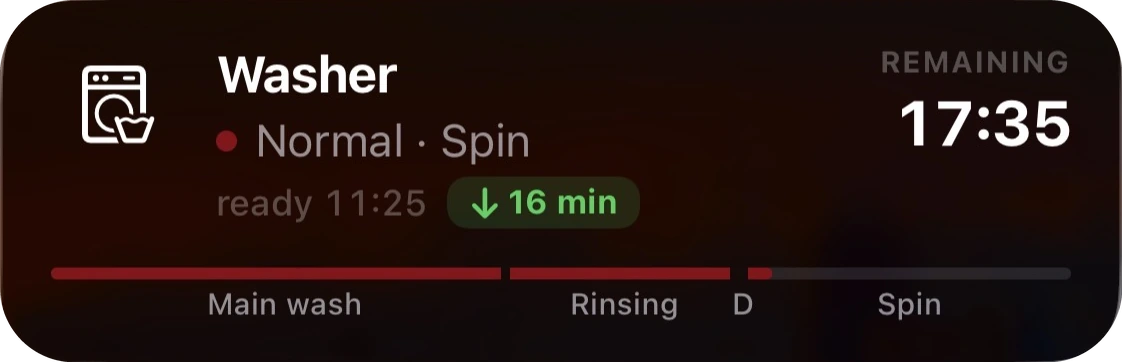
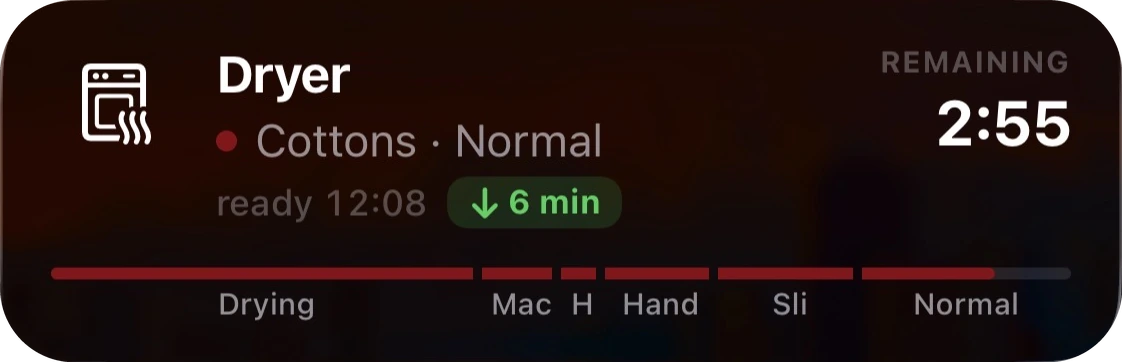
Live Update card on the iPhone Lock Screen: Washer, Normal · Spin, ready 11:25 (16 minutes earlier than estimated), 17:35 remaining, with the phase bar through Main wash, Rinsing and Spin. Live Update card on the iPhone Lock Screen: Dryer, Cottons · Normal, ready 12:08 (6 minutes earlier than estimated), 2:55 remaining, with the phase bar nearly complete.
Right where you glance

Program, phase and time left — no unlocking, no app to open.

A countdown that ticks

Driven on-device, so the time remaining stays accurate to the minute.

All your machines

Any washer, dryer or dishwasher that works with the Miele app — and several can count down at once.

In the app

The app is just for linking.

You open it once to connect your Miele account. After that you can check any appliance's status in the app whenever you like — free, no subscription.

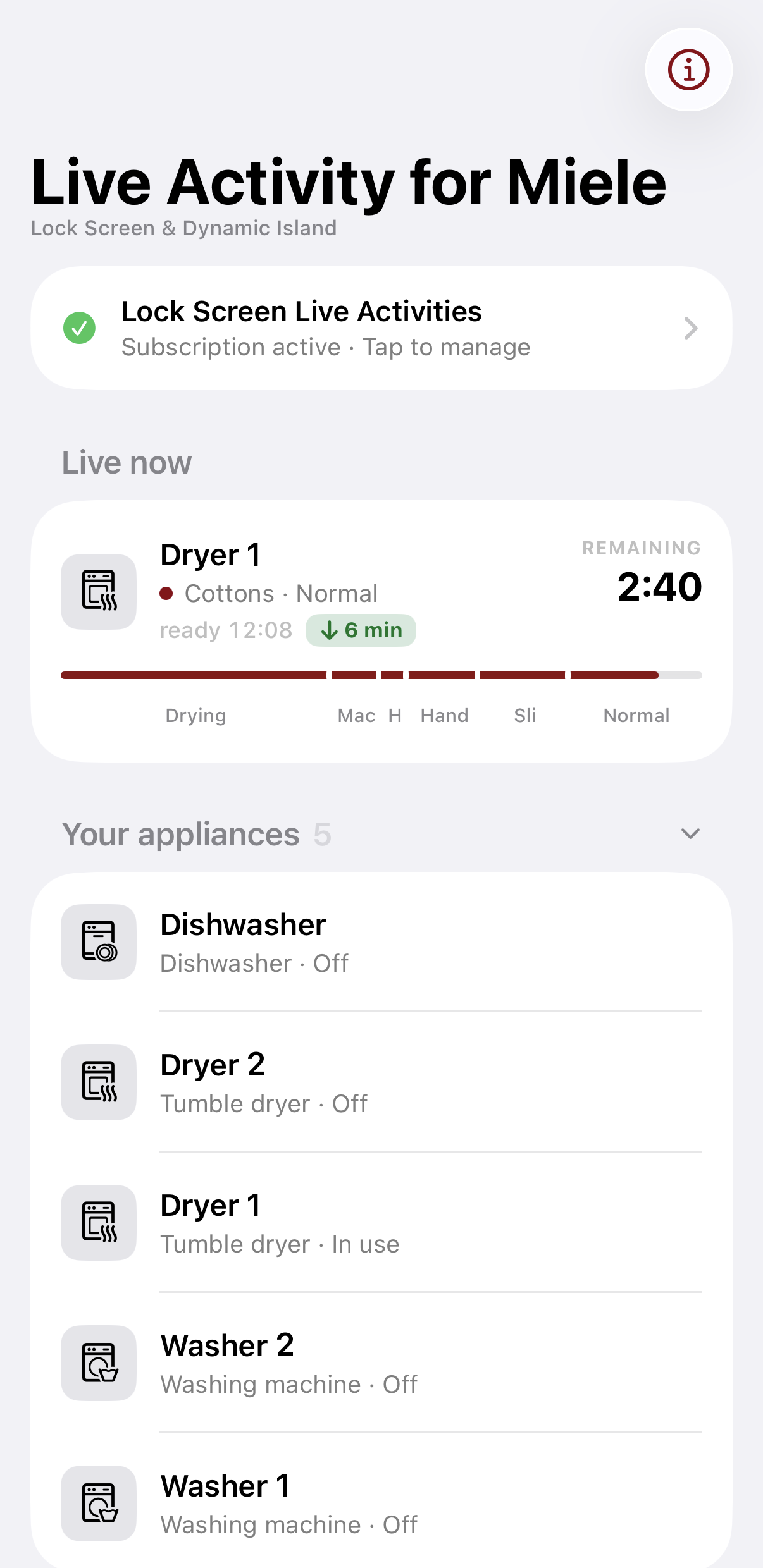
The iPhone app: Live now showing Dryer 1 with a phase bar and 2:40 remaining, and Your appliances listing Dishwasher, Dryer 2, Dryer 1, Washer 2 and Washer 1.
iPhone
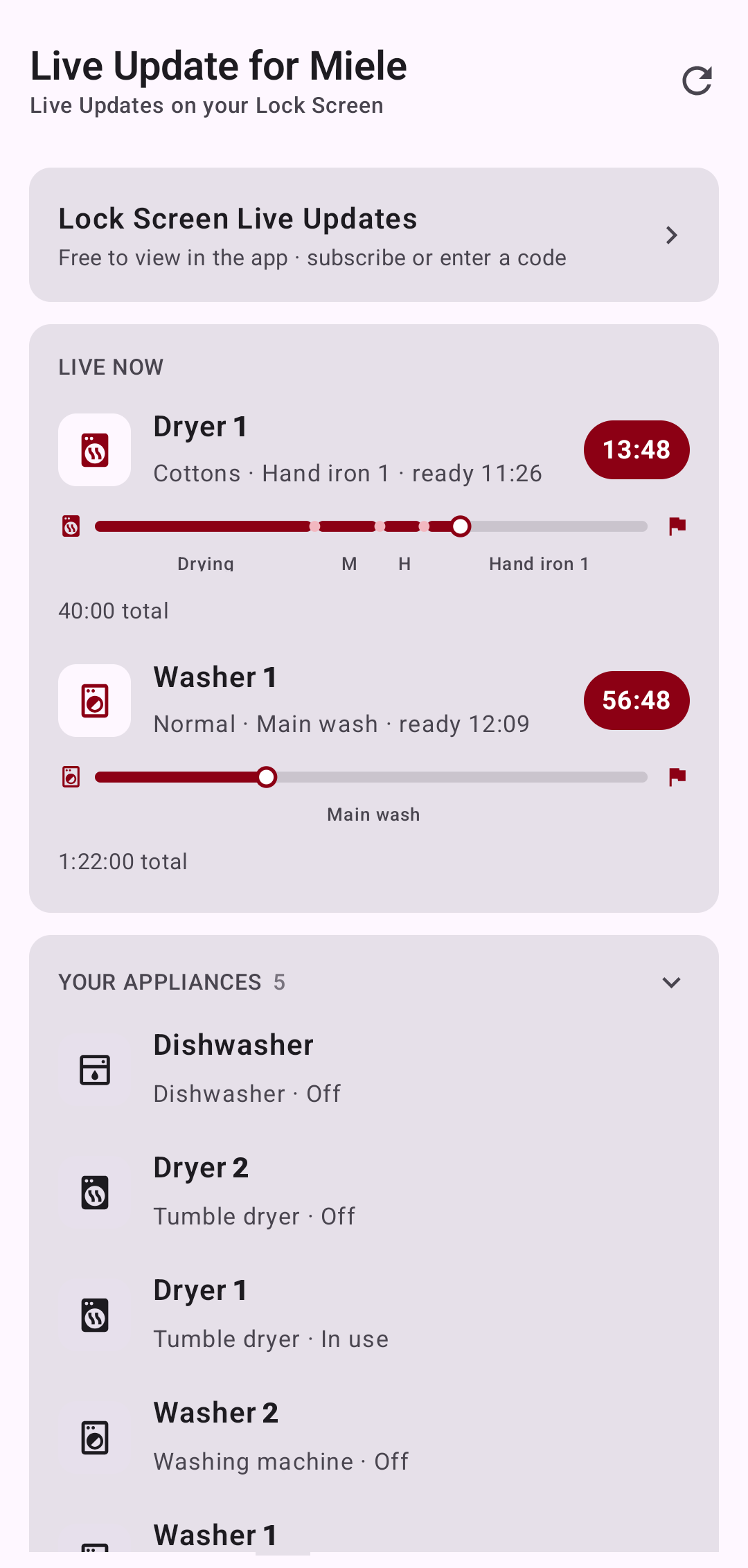
The Android app: a Live Now section with Dryer 1 and Washer 1 counting down, and Your Appliances listing every washer, dryer and dishwasher.
Android
Everywhere you check

Native on every screen you glance at.

On iOS it's a Live Activity — Lock Screen, Dynamic Island and the Apple Watch Smart Stack. On Android it's a Live Update — Lock Screen and the status bar, with a progress notification on older phones.

iPhone

A Live Activity card on the Lock Screen, plus a live countdown in the Dynamic Island. iOS 16.1 or later

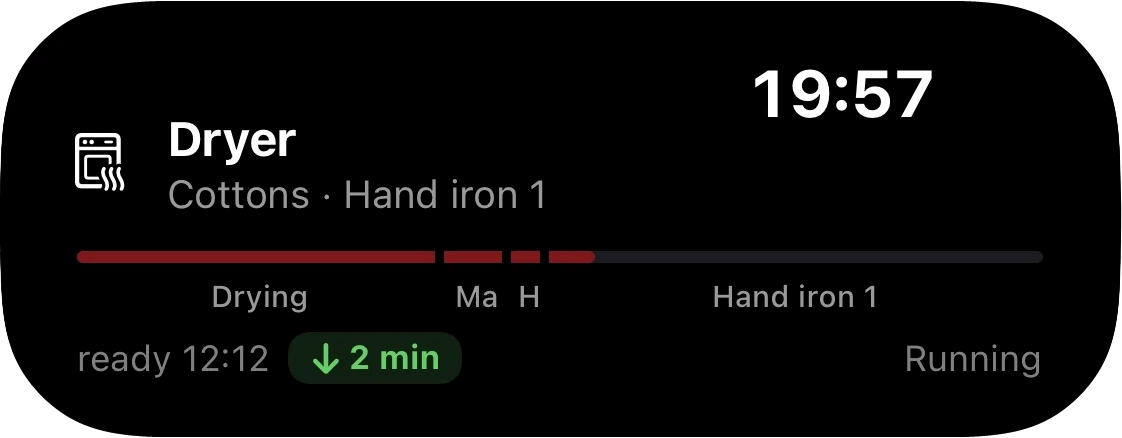
iPhone Dynamic Island expanded: Dryer, Cottons · Hand iron 1, phase bar, ready 12:12 and 19:57 remaining.
Dynamic Island — expanded
iPhone Dynamic Island compact, showing a small washer glyph and the time remaining.
Dynamic Island — compact
Apple Watch

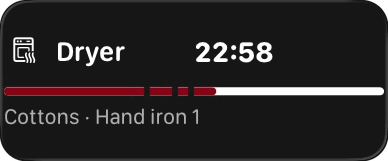
Whatever's running turns up in the Smart Stack — one raise of your wrist. Smart Stack, live countdown

Apple Watch Smart Stack card: Dryer, Cottons · Hand iron 1, 22:58 remaining.
Smart Stack
Android

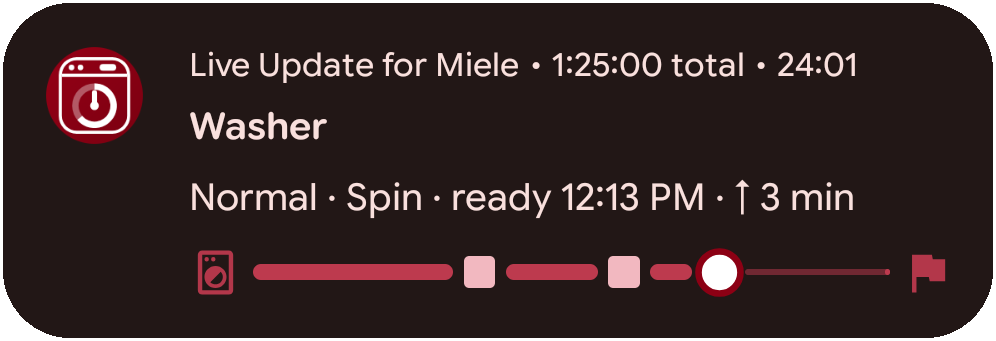
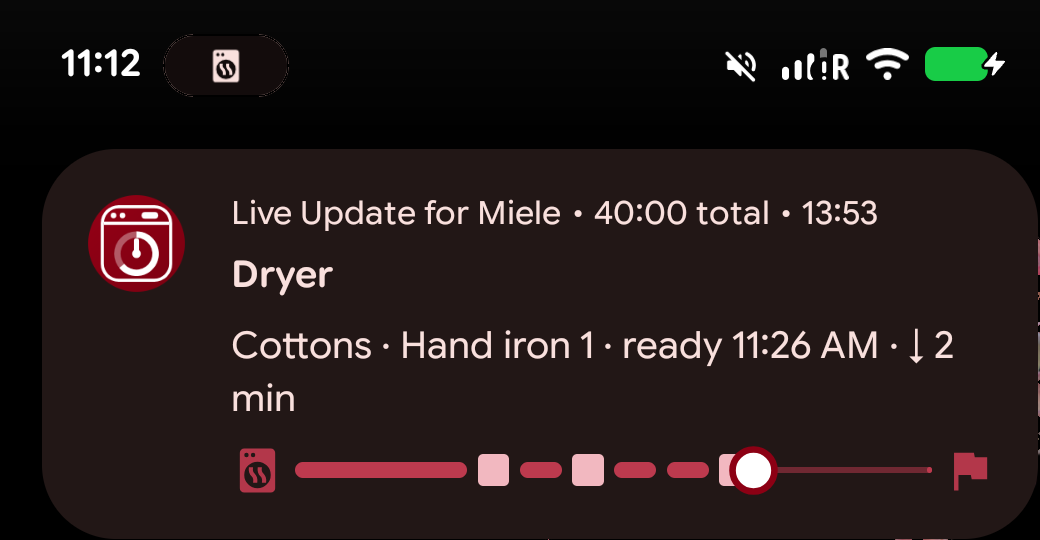
A Live Update on the Lock Screen and a chip counting down next to the clock. Older phones fall back to an ongoing progress notification. Android 8 or later

Android Live Update notification: Washer, Normal · Spin, ready 12:13 PM, with a progress bar.
Lock Screen
Android status bar with a live chip counting down 23:40 next to the clock.
Status-bar chip
Android status-bar chip expanded to a full card: Dryer, Cottons · Hand iron 1, with a progress bar and time remaining.
Tap the chip for the full card
Pricing

Yearly subscription for live updates.

Linking your Miele account and checking your appliances in the app are free. Only the live updates — Lock Screen, Dynamic Island, Watch and status bar — need the subscription.

$4.99 / year
2 weeks free trial

Renews yearly until you turn it off.

  • Lock Screen live update
  • Dynamic Island & status-bar countdowns
  • Apple Watch Smart Stack

Private by design. No ads, no tracking, and no account to create — you're a random install id to us, and we store only what it takes to reach your phone, read your appliances and know whether you've subscribed. You sign in on Miele's own site; we never see your password or payment details. Read the privacy policy →